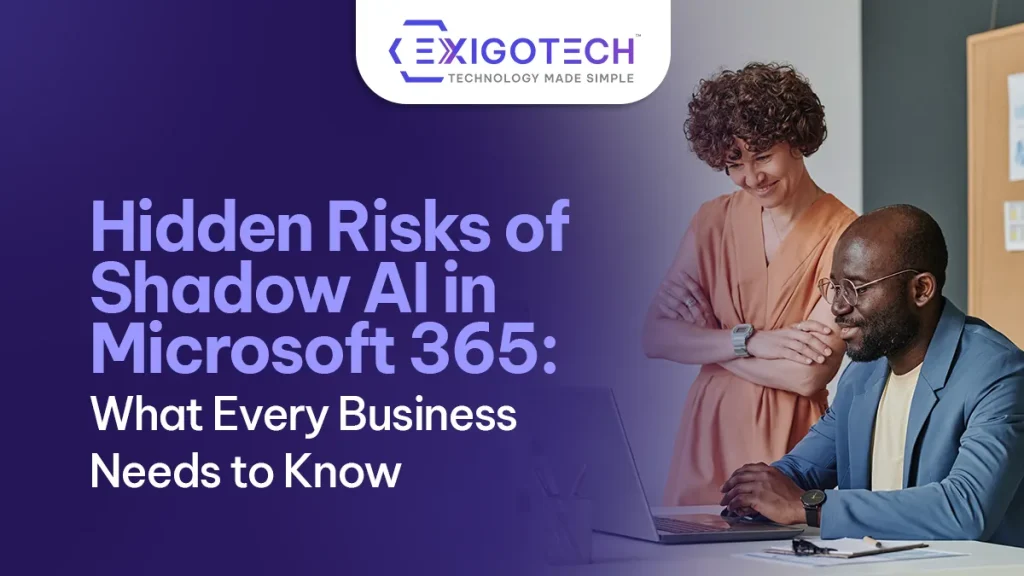
Hidden Risks of Shadow AI in Microsoft 365: What Every Business Needs to Know
 Alpesh Prajapati
Operational Excellence Manager • Jul 1, 2026 • 6 min read
Artificial Intelligence is transforming the modern workplace.
Employees are using AI tools to draft emails, summarise meetings, analyse data, generate reports, and automate routine tasks. With Microsoft 365 Copilot and other AI-powered solutions becoming more accessible, businesses are discovering new ways to improve productivity and collaboration.
However, alongside these approved AI solutions, another trend is emerging: Shadow AI.
Shadow AI refers to employees using AI applications that have not been approved, managed, or monitored by the organisation’s IT or security teams. While these tools are often adopted with good intentions, they can introduce significant security, compliance, and governance risks.
For organisations using Microsoft 365, understanding and managing Shadow AI is becoming an essential part of maintaining a secure and well-governed digital workplace.
At Exigo Tech, we help organisations embrace AI securely as their Managed Intelligence Partner, ensuring innovation is supported by strong governance, security, and Microsoft 365 best practices.
How to Secure Microsoft Copilot Agents with Microsoft 365 E5
What Is Shadow AI?
Shadow AI is the use of artificial intelligence tools outside an organisation’s approved technology environment.
Examples include employees using:
- Public AI chatbots
- AI writing assistants
- AI-powered coding tools
- AI image generation platforms
- AI document summarisation tools
- Browser-based AI extensions
These tools are often introduced without involvement from IT, creating visibility and governance challenges.
Unlike approved enterprise AI platforms, Shadow AI typically operates outside organisational security controls.
Why Shadow AI Is Growing
The rapid growth of AI has made powerful tools available to anyone with an internet connection.
Employees are increasingly adopting AI to:
- Save time
- Improve productivity
- Automate repetitive work
- Generate content
- Analyse information
- Support decision-making
In many cases, they simply want to work more efficiently.
The problem is that business data may be shared with external AI services without understanding how that information is processed, stored, or protected.
As AI capabilities continue to expand, organisations are finding it increasingly difficult to keep pace with employee adoption.
Why Shadow AI Matters in Microsoft 365 Environments
Microsoft 365 has become the central platform for many organisations.
It contains:
- Emails
- Documents
- SharePoint sites
- Teams conversations
- OneDrive files
- Calendars
- Customer information
- Financial records
When employees copy information from these systems into unapproved AI tools, sensitive business data may leave the protected Microsoft 365 environment.
This creates risks that many organisations cannot easily detect.
Even organisations with strong Microsoft 365 security controls can lose visibility once information is shared outside approved platforms.
The Hidden Risks of Shadow AI
Data Leakage
One of the biggest concerns is the accidental exposure of confidential information.
Employees may unknowingly submit:
- Customer records
- Financial information
- Contracts
- Internal strategies
- Intellectual property
- Employee information
to external AI platforms.
Without proper governance, organisations may have little control over how that data is stored or used.
Compliance Challenges
Many industries must comply with strict privacy and data protection requirements.
If regulated or personal information is processed through unauthorised AI services, organisations may face:
- Privacy risks
- Regulatory issues
- Audit concerns
- Data residency challenges
Maintaining visibility into AI usage is becoming increasingly important for compliance.
Increased Security Risk
Every new AI application introduces another potential attack surface.
Unapproved tools may not meet organisational security standards, increasing exposure to:
- Credential theft
- Malicious browser extensions
- Third-party vulnerabilities
- Unauthorised integrations
Without proper oversight, IT teams may not even know these risks exist.
Inconsistent Governance
Shadow AI often develops independently across departments.
Different teams may adopt different AI tools, creating inconsistent processes and governance.
This can result in:
- Duplicate solutions
- Inconsistent security controls
- Data silos
- Difficulties managing AI usage organisation-wide
A structured governance framework helps maintain consistency.
Agentic AI for Operations Leaders: Turning AI into Action
Microsoft 365 Copilot vs Shadow AI
It is important to distinguish between Microsoft 365 Copilot and Shadow AI.
Microsoft 365 Copilot operates within the Microsoft security ecosystem and respects existing permissions, identity controls, compliance policies, and governance settings.
Shadow AI operates outside those controls.
This does not automatically make external AI tools unsafe, but it does mean organisations have significantly less visibility and control over how business information is handled.
The safest approach is to provide employees with approved AI solutions while establishing clear usage policies.
Signs Your Organisation May Have a Shadow AI Problem
Many organisations are already experiencing Shadow AI without realising it.
Common indicators include:
- Employees using public AI tools for business tasks
- AI-generated documents appearing without approved tools
- Business data copied into external websites
- Departments independently selecting AI platforms
- Limited visibility into browser-based AI usage
- No formal AI governance policy
Recognising these signs early helps reduce future risk.
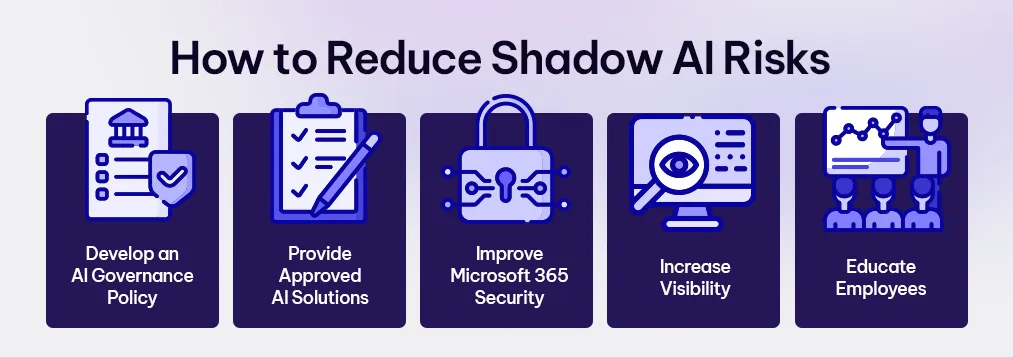
How to Reduce Shadow AI Risks
Managing Shadow AI does not mean preventing employees from using AI.
Instead, organisations should focus on enabling secure and responsible adoption.
Develop an AI Governance Policy
Define:
- Approved AI platforms
- Acceptable use guidelines
- Data handling requirements
- Employee responsibilities
Clear policies provide consistency across the organisation.
Provide Approved AI Solutions
When employees have access to secure, enterprise-grade AI tools such as Microsoft 365 Copilot, they are less likely to seek alternatives.
Providing approved solutions supports both productivity and governance.
Improve Microsoft 365 Security
Strong Microsoft 365 governance helps reduce AI-related risks.
This includes reviewing:
- User permissions
- SharePoint access
- OneDrive sharing
- Sensitivity labels
- Data Loss Prevention (DLP) policies
- Conditional Access policies
Good governance creates a stronger foundation for AI adoption.
Increase Visibility
Organisations should understand:
- Which AI tools are being used
- Who is using them
- What business data is being shared
- How information flows across systems
Greater visibility enables better decision-making and risk management.
Educate Employees
Employee awareness remains one of the most effective security controls.
Training should cover:
- Responsible AI usage
- Data protection
- Privacy obligations
- Approved AI tools
- Security risks associated with external AI platforms
Education encourages informed rather than restricted adoption.

Microsoft 365 Security for Healthcare Providers: Protecting Patient Data and Business Operations
Preparing for the Future of AI
Artificial Intelligence will continue to become a standard part of business operations.
Rather than resisting this change, organisations should focus on building governance frameworks that support innovation safely.
Businesses that establish strong AI governance today will be better positioned to:
- Adopt new AI technologies confidently
- Protect sensitive information
- Meet compliance obligations
- Improve productivity
- Reduce operational risk
Secure AI adoption is becoming a competitive advantage.
Why Choose Exigo Tech as Your Managed Intelligence Partner
At Exigo Tech, we help organisations adopt AI securely while strengthening Microsoft 365 governance and cybersecurity.
As your Managed Intelligence Partner, we provide:
- Microsoft 365 Copilot Readiness Assessments
- AI governance and policy development
- Microsoft 365 Security Health Checks
- Managed Security as a Service (MSaaS)
- Data classification and protection strategies
- IT security consulting
- Microsoft 365 optimisation and governance
Our goal is to help organisations unlock the benefits of AI without compromising security, compliance, or operational control.
Table of Contents
Tags
Related Articles

How to Secure Microsoft Copilot Agents with Microsoft 365 E5

Agentic AI for Operations Leaders: Turning AI into Action

When Should You Use Agent Builder Instead of Copilot Studio?

Let's Talk About Your IT Challenges
Book a free consultation with our experts today. We'll analyze your current infrastructure and provide actionable recommendations.