
- Technologies
- Dynamics 365 Business Central Workshop
- Dynamics 365 Supply Chain Management Workshop
- Dynamics 365 Finance Readiness Assessment
- Dynamics 365
- Customer Data Platform
- Dynamics 365 Sales
- Dynamics 365 Service
- Dynamics 365 Marketing
- Dynamics 365 Supply Chain Management
- Dynamics 365 Business Central
- Dynamics 365 Finance
- Dynamics 365 Project Management
- Modern Application Development
- Dynamics 365 for Sales Workshop
- Innovation
- Contact us
Copilot for Finance Teams: How AI Can Transform Financial Operations
 Alpesh Prajapati
Operational Excellence Manager • Sep 9, 2026 • 6 min read

Many finance professionals still spend a significant amount of time on repetitive tasks. Preparing reports, analysing spreadsheets, summarising financial information, responding to emails, and gathering data can take time away from higher-value work.
Microsoft Copilot is creating new opportunities for finance teams to change this.
By bringing AI capabilities into familiar tools such as Excel, Outlook, Teams, Word, and PowerPoint, Copilot can help finance professionals work more efficiently and focus on analysis rather than administration.
However, successful adoption requires more than simply giving users access to an AI tool. Finance teams need the right data, permissions, governance, and security controls in place.
At Exigo Tech, we help organisations adopt AI responsibly as their Managed Intelligence Partner, helping businesses prepare their Microsoft environments for secure and effective Copilot adoption.

How to Secure Microsoft Copilot Agents with Microsoft 365 E5
What Is Microsoft Copilot for Finance Teams?
Microsoft Copilot is an AI-powered assistant integrated across the Microsoft ecosystem.
For finance teams, its value comes from its ability to support everyday work within familiar applications, including:
- Microsoft Excel
- Outlook
- Teams
- Word
- PowerPoint
Copilot can help users analyse information, summarise content, generate drafts, identify trends, and reduce repetitive administrative work.
Rather than replacing finance professionals, Copilot can support them by accelerating routine tasks and making information easier to understand.
1. Making Excel Analysis Faster
Excel remains one of the most important tools used by finance teams.
Financial professionals regularly work with:
- Budgets
- Forecasts
- Cash flow models
- Revenue reports
- Expense data
- Financial statements
However, analysing large spreadsheets can be time-consuming.
Copilot can help users explore data using natural language.
For example, finance professionals may ask questions such as:
- What were the largest expenses this quarter?
- Which products had the highest revenue growth?
- Identify unusual changes in operating costs.
- Summarise the main trends in this dataset.
Copilot can help finance teams identify patterns and understand data more quickly.
However, AI-generated insights should always be reviewed by finance professionals before being used for business decisions.
2. Improving Financial Reporting
Preparing financial reports often involves collecting information from multiple people and systems.
Finance teams may need to:
- Gather data
- Analyse results
- Write commentary
- Create management reports
- Prepare presentations
Copilot can help reduce the administrative effort involved in these activities.
For example, it can assist with drafting financial summaries and turning information into clearer business language.
- Teams can then review and refine the output based on their financial expertise.
- This can help reduce the time required to prepare regular reports while improving consistency.
3. Supporting Faster Budgeting and Forecasting
Budgeting and forecasting require finance teams to analyse historical performance while considering future business conditions.
Copilot can support this process by helping users:
- Summarise historical data
- Identify financial trends
- Compare performance periods
- Analyse variances
- Generate initial report drafts
This can make financial information easier to explore.
However, forecasting still requires human expertise.
Finance professionals understand business context, market conditions, strategic priorities, and operational changes that AI may not fully understand.
4. Reducing Time Spent Managing Emails
Finance teams often manage large volumes of communication.
This can include:
- Invoice enquiries
- Supplier communication
- Budget approvals
- Internal requests
- Financial updates
Copilot in Outlook can help summarise long email conversations and assist users with drafting responses.
This can be particularly useful when finance professionals need to quickly understand the context of a conversation.
Instead of manually reviewing multiple messages, users can focus on the key information and decide what action is required.

5. Improving Financial Meetings with Microsoft Teams
Finance meetings often involve reviewing reports, discussing budgets, and making important decisions.
Microsoft Copilot can help Teams users summarise meetings and identify key discussion points.
Potential benefits include:
- Meeting summaries
- Action items
- Key decisions
- Follow-up tasks
This can reduce the administrative burden of manually documenting meetings.
It also makes it easier for team members who could not attend to understand what was discussed.
6. Creating Management Presentations Faster
Finance teams frequently prepare presentations for executives and business leaders.
These presentations often require information to be collected from:
- Excel reports
- Financial documents
- Business plans
- Department updates
Copilot can assist with drafting presentation content and summarising information.
This can reduce the time required to create an initial presentation.
Finance professionals can then focus on the most important part, ensuring the information is accurate and communicates the right business message.

Agentic AI for Operations Leaders: Turning AI into Action
The Biggest Opportunity: More Time for Strategic Finance
The real value of Copilot is not simply writing emails faster.
Its biggest potential benefit is reducing the time finance teams spend on repetitive administrative work.
This creates more time for activities such as:
- Financial planning
- Scenario analysis
- Risk management
- Business partnering
- Performance analysis
- Strategic decision-making
As automation increases, finance teams can shift from primarily reporting what happened to helping business leaders understand what may happen next.
Building a Copilot-Ready Finance Team
Successful Copilot adoption should follow a structured approach.
Assess Your Data and Permissions
Understand where financial information is stored and who can access it.
Remove unnecessary permissions and apply the principle of least privilege.
Classify Sensitive Information
Identify sensitive financial data and apply appropriate protection.
Sensitivity labels can help organisations classify information according to its level of confidentiality.
Establish AI Governance
Finance teams should understand how AI can and cannot be used.
Policies should define:
- Approved AI tools
- Appropriate data usage
- User responsibilities
- Review requirements
- Governance processes
Start with High-Value Use Cases
Rather than deploying Copilot without a clear plan, identify practical use cases.
Examples may include:
- Financial reporting
- Spreadsheet analysis
- Meeting summaries
- Email management
- Budget analysis
Train Your Finance Team
Users need more than access to technology.
Training should help employees understand:
- How to write effective prompts
- How to review AI-generated output
- When human validation is required
- How to protect sensitive information
Common Mistakes to Avoid
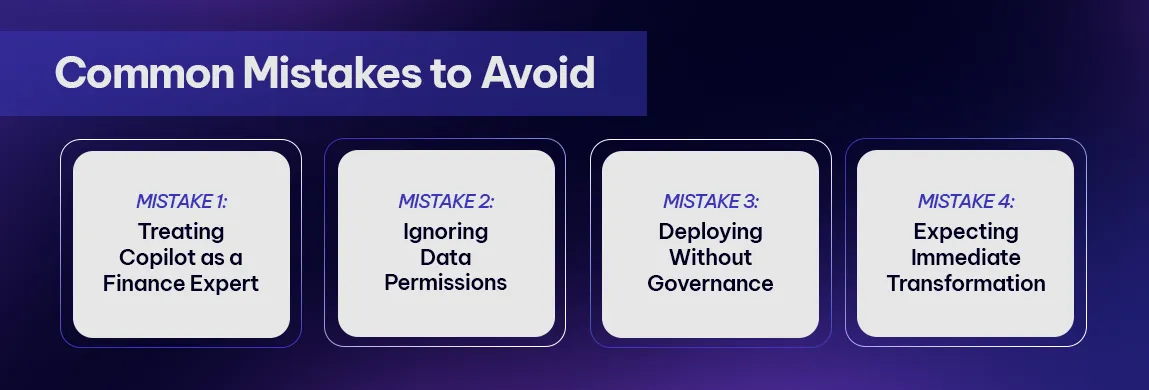
Treating Copilot as a Finance Expert
Copilot can assist with analysis, but it should not replace professional judgement.
Financial information and AI-generated outputs must be reviewed for accuracy.
Ignoring Data Permissions
Poor permissions can expose sensitive information.
Reviewing access should be part of every Copilot readiness strategy.
Deploying Without Governance
Employees need clear guidance around AI usage and data protection.
Without governance, organisations risk inconsistent and potentially unsafe use of AI.
Expecting Immediate Transformation
Copilot adoption takes time.
The greatest value comes from identifying meaningful use cases and helping employees integrate AI into everyday workflows.

Microsoft 365 Security for Healthcare Providers: Protecting Patient Data and Business Operations
How Exigo Tech Helps Finance Teams Prepare for Copilot
At Exigo Tech, we help organisations prepare their people, data, and technology for secure AI adoption.
As your Managed Intelligence Partner, we can help with:
- Microsoft 365 Copilot Readiness Assessments
- Microsoft 365 security assessments
- Data and permission reviews
- Microsoft Purview implementation
- Data governance and information protection
- AI governance policies
- Copilot adoption strategy
- User training and enablement
- Ongoing Microsoft 365 support
Our approach focuses on helping organisations adopt Copilot in a way that supports productivity without compromising security or governance.

Table of Contents
Tags
Related Articles

How to Secure Microsoft Copilot Agents with Microsoft 365 E5

Agentic AI for Operations Leaders: Turning AI into Action

When Should You Use Agent Builder Instead of Copilot Studio?

Let's Talk About Your IT Challenges
Book a free consultation with our experts today. We'll analyze your current infrastructure and provide actionable recommendations.