
- Technologies
- Dynamics 365 Business Central Workshop
- Dynamics 365 Supply Chain Management Workshop
- Dynamics 365 Finance Readiness Assessment
- Dynamics 365
- Customer Data Platform
- Dynamics 365 Sales
- Dynamics 365 Service
- Dynamics 365 Marketing
- Dynamics 365 Supply Chain Management
- Dynamics 365 Business Central
- Dynamics 365 Finance
- Dynamics 365 Project Management
- Modern Application Development
- Dynamics 365 for Sales Workshop
- Innovation
- Contact us
Restrict Microsoft Office Macros: Closing One of the Most Exploited Attack Paths
 Niten Devalia
Chief Sales Officer / Co-founder • Feb 25, 2026 • 4 min read

For years, cybercriminals have relied on one simple but highly effective technique: malicious Microsoft Office macros.
A user receives what looks like a legitimate invoice, resume, or internal document. They open it. A message appears asking them to “Enable Content.” They click. And within seconds, malicious code runs in the background.
That one click can lead to ransomware, data theft, credential compromise, and full network access for attackers.
This is why Restrict Microsoft Office Macros is a critical control within the Essential Eight. It focuses on stopping malicious code from executing through Office documents, one of the most common initial attack methods.
At Exigo Tech, we treat macro restrictions not as a technical setting, but as a strategic security measure that significantly reduces business risk.

How to Secure Microsoft Copilot Agents with Microsoft 365 E5
Why Macros Are a Major Security Risk
Microsoft Office macros were originally designed to automate repetitive tasks. They can be useful in controlled business environments.
However, attackers quickly realised that macros can also execute scripts, download payloads, and run malicious commands.
Common macro-based attacks involve:
- Phishing emails with malicious attachments.
- Fake invoices or payment documents.
- Resumes sent to HR teams.
- “Urgent” financial documents.
- Internal-looking files spoofed to appear legitimate.
Because Office files are widely trusted, users are more likely to open them without hesitation. If macros are unrestricted, that trust becomes an entry point.
What Does “Restrict Microsoft Office Macros” Actually Mean?
Restricting macros does not mean disabling all Office functionality. It means applying controlled rules to prevent untrusted macros from executing.
In practical terms, this includes:
- Blocking macros from the internet.
- Allowing only digitally signed macros.
- Restricting macro execution to trusted locations.
- Disabling macros for standard users where possible.
- Monitoring macro-related activity.
The goal is simple: prevent malicious code from running without authorisation.
Why Macro Attacks Are So Effective
Macro-based attacks work because they rely on human behaviour.
They typically:
- Use urgency (“Payment overdue”).
- Create curiosity (“Confidential salary update”).
- Exploit routine processes (“Updated invoice”).
- Appear legitimate.
Even well-trained employees can be caught off guard. Restricting macros ensures that even if a user clicks, the damage is limited.
Why Restricting Macros Is Essential Eight–Critical
The Essential Eight framework prioritises controls that block common attack methods. Macro-based phishing remains one of the most successful techniques used in real-world breaches.
Restricting Microsoft Office macros:
- Prevents automatic execution of malicious scripts.
- Reduces ransomware entry points.
- Stops attackers from gaining an initial foothold.
- Limits the success of phishing campaigns.
It is a preventative control that directly addresses one of the most widely exploited attack vectors.

Agentic AI for Operations Leaders: Turning AI into Action
What Happens Without Macro Restrictions
When macros are unrestricted:
- Users can enable malicious scripts.
- Malware can download additional payloads.
- Attackers can establish persistence.
- Credentials can be harvested.
- Ransomware can be deployed quickly.
In many major breaches, macro-enabled documents were the starting point. Relying solely on user awareness training is not enough. Technical enforcement is required.
Benefits of Restricting Microsoft Office Macros
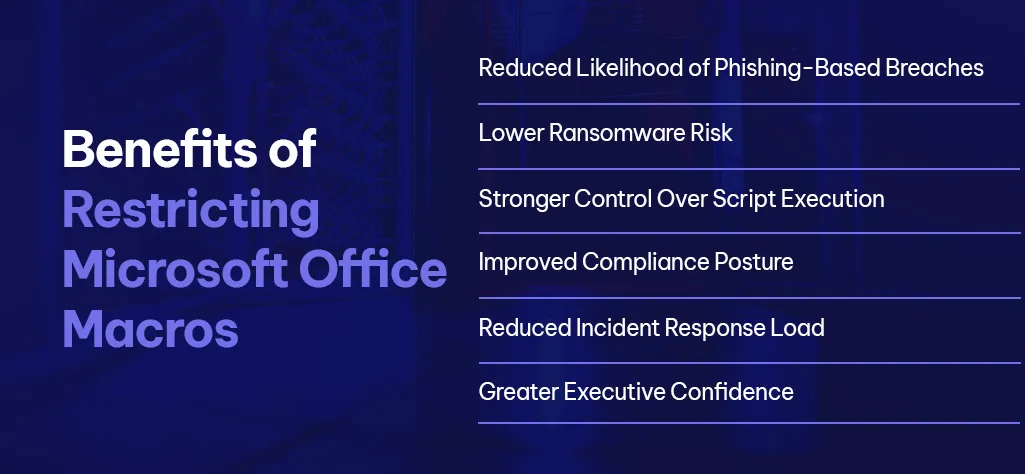
When implemented properly, macro restrictions deliver measurable benefits.
-
Reduced Likelihood of Phishing-Based Breaches
Macro-enabled attachments become far less effective for attackers.
-
Lower Ransomware Risk
Many ransomware campaigns rely on macro-based delivery.
-
Stronger Control Over Script Execution
Untrusted code cannot run without approval.
-
Improved Compliance Posture
Many security frameworks recommend restricting or disabling macros.
-
Reduced Incident Response Load
Fewer successful macro-based attacks mean fewer security incidents.
-
Greater Executive Confidence
Leadership gains assurance that common phishing tactics are being actively mitigated.
Common Mistakes Organisations Make
Restricting macros is straightforward in theory, but implementation often falls short.
Common mistakes include:
- Disabling macros temporarily but not enforcing policy.
- Allowing broad exceptions without review.
- Failing to block macros from internet-sourced documents.
- Not communicating changes to users.
- Ignoring legacy macro usage without assessment.
Poor implementation can either weaken security or disrupt legitimate business processes.

Microsoft 365 Security for Healthcare Providers: Protecting Patient Data and Business Operations
What Good Macro Restriction Looks Like
Effective macro restrictions includes:
- Blocking macros from files downloaded from the internet.
- Allowing only trusted, digitally signed macros.
- Identifying legitimate business processes that rely on macros.
- Replacing legacy macro-heavy processes where possible.
- Monitoring macro usage trends.
- Reviewing policies regularly.
The objective is not to break workflows; it is to secure them intelligently.
Why Choose Exigo Tech for Restricting Office Macros
Restricting Microsoft Office macros is more than changing a setting. It requires visibility, policy design, and ongoing oversight.
As your Managed Intelligence Partner, we:
- Assess macro usage across your environment.
- Identify high-risk configurations.
- Design controlled enforcement policies.
- Balance security with operational continuity.
- Continuously monitor and refine configurations.
We ensure that macro restrictions strengthen security without causing unnecessary disruption.
Conclusion: Small Change, Significant Risk Reduction
Some security controls are complex. Restricting Microsoft Office macros is not. Yet its impact is huge.
By blocking one of the most exploited attack paths, organisations dramatically reduce the likelihood of phishing-driven compromise.
It is a practical, preventative, and high-value control within the Essential Eight.

Table of Contents
Tags
Related Articles

Microsoft 365 Security for Healthcare Providers: Protecting Patient Data and Business Operations

Endpoint Security for SMBs: Protecting Devices, Users and Business Data

Compliance and Cybersecurity Challenges Facing Australian Local Governments

Let's Talk About Your IT Challenges
Book a free consultation with our experts today. We'll analyze your current infrastructure and provide actionable recommendations.