
🇦🇺 Australia
- Technologies
- Dynamics 365 Business Central Workshop
- Dynamics 365 Supply Chain Management Workshop
- Dynamics 365 Finance Readiness Assessment
- Dynamics 365
- Customer Data Platform
- Dynamics 365 Sales
- Dynamics 365 Service
- Dynamics 365 Marketing
- Dynamics 365 Supply Chain Management
- Dynamics 365 Business Central
- Dynamics 365 Finance
- Dynamics 365 Project Management
- Modern Application Development
- Dynamics 365 for Sales Workshop
- Innovation
- Contact us
Copilot for Microsoft 365: Your Everyday AI Assistant, Built Into the Apps You Already Use
Change the way you perform daily tasks and improve productivity with Copilot for Microsoft 365, deployed and supported by Exigo Tech's dedicated Centre of Excellence.
24x7
Copilot Adoption & Support Options

360°
Data, Security & Governance Readiness

20-40%
Reported Productivity Gains (Microsoft)

Work Smarter Every Day
Implementing Copilot for Microsoft 365 doesn't just enhance individual efficiency; it empowers your teams to collaborate more effectively, all while adhering to the security and privacy measures that keep your data protected. At Exigo Tech, we've built our own Centre of Excellence (CoE) for Microsoft 365 Copilot, a centralised hub that simplifies the entire Copilot adoption journey, from initial readiness assessment through rollout, training, governance, and ongoing optimisation, so your organisation gets consistent, well-governed value rather than fragmented, ad-hoc usage.

 Microsoft Partner

Smarter Everyday Productivity
Help employees spend less time searching, summarising, drafting, and organising so they can focus on higher-value work and business priorities.
Better Meetings and Collaboration
Help teams capture context, summarise discussions, identify actions, and maintain momentum across Microsoft Teams and Microsoft 365.
Faster Content Creation
Accelerate first drafts, presentations, emails, reports, and business documents while keeping people responsible for review, judgement, and approval.
Data-Driven Insights
Make business information easier to explore and understand through natural-language assistance, analysis, and contextual recommendations.
Secure, Scalable AI Adoption
Introduce Copilot with the identity, permissions, information protection, governance, and adoption practices needed for responsible enterprise use.
CORE OFFERINGS : COPILOT FOR MICROSOFT 365
Our Copilot for Microsoft 365 services help organisations move from interest to impact through readiness, secure deployment, application-focused use cases, user enablement, governance, and continuous optimisation.
 Copilot in Outlook
›
Copilot in Teams
›
Copilot in Word
›
Copilot in Excel
›
Copilot in PowerPoint
›
Copilot Readiness, Governance & Adoption
›
Copilot in Outlook
›
Copilot in Teams
›
Copilot in Word
›
Copilot in Excel
›
Copilot in PowerPoint
›
Copilot Readiness, Governance & Adoption
›
Improve communication efficiency by helping users summarise email threads, prepare responses, organise priorities, and move from conversation to action with greater clarity.

Strengthen meeting and collaboration outcomes by helping teams summarise discussions, identify decisions and actions, and catch up on relevant conversations more efficiently.

Accelerate document creation by helping users draft, rewrite, summarise, and refine business content while maintaining human oversight and organisational standards.

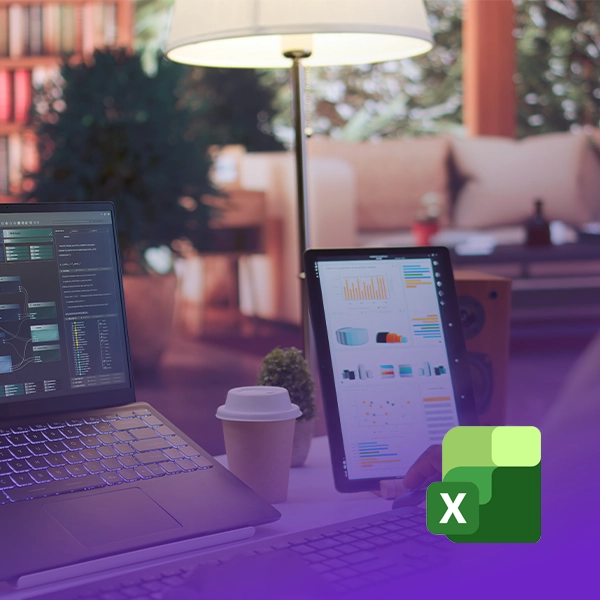
Help teams explore data, identify patterns, develop analysis, and communicate insights more efficiently through natural-language assistance within familiar workflows.
Support faster presentation development by helping users create, reorganise, summarise, and refine content for clearer executive and stakeholder communication.

Assess data, permissions, security, governance, licensing, use cases, and user readiness, then support controlled deployment, role-based enablement, and continuous value optimisation.

Talk to Our Experts

BUSINESS OUTCOMES ENABLED

Stronger Collaboration and Communication
Improve meeting follow-through, document creation, email quality, and knowledge sharing across teams and locations.
Secure and Governed AI Adoption
Scale AI use with clearer ownership, appropriate permissions, information protection, and oversight across Microsoft 365.
Greater Return on Microsoft 365 Investments
Unlock more value from tools employees already use by embedding AI assistance directly into familiar workflows and applications.
Increased Workforce Productivity
Reduce time spent on repetitive knowledge work and help employees move from information to action faster.
Faster, Better Decisions
Help teams summarise context, explore information, and prepare insights more efficiently while retaining human judgement and accountability.
Stronger Collaboration and Communication
Improve meeting follow-through, document creation, email quality, and knowledge sharing across teams and locations.
Secure and Governed AI Adoption
Scale AI use with clearer ownership, appropriate permissions, information protection, and oversight across Microsoft 365.
Greater Return on Microsoft 365 Investments
Unlock more value from tools employees already use by embedding AI assistance directly into familiar workflows and applications.
Increased Workforce Productivity
Reduce time spent on repetitive knowledge work and help employees move from information to action faster.
Faster, Better Decisions
Help teams summarise context, explore information, and prepare insights more efficiently while retaining human judgement and accountability.
Ready to Bring Copilot Into Your Everyday Workflow?
Book a free Copilot readiness workshop to map your data governance, priority use cases, and realistic adoption timeline before you commit to licensing.
Partner Ecosystem


STORIES OF IMPACT
CASE STUDY

LATEST THINKING
How to Secure Microsoft Copilot Agents with Microsoft 365 E5
Microsoft Copilot agents are becoming an important part of enterprise AI adoption. They can retrieve information,…
Learn more
Agentic AI for Operations Leaders: Turning AI into Action
Traditional automation follows predefined rules. Generative AI creates content or provides insights. Agentic AI can go…
Learn more
Microsoft 365 Security for Healthcare Providers: Protecting Patient Data and Business Operations
Healthcare providers rely on digital systems for almost every part of their operations. Patient records, clinical…
Learn more
When Should You Use Agent Builder Instead of Copilot Studio?
Within Microsoft’s AI ecosystem, businesses have multiple ways to create AI agents. Two important options are…
Learn moreCopilot for Microsoft 365 is an AI-driven assistant integrated into Word, Excel, PowerPoint, Outlook, and Teams, providing intelligent suggestions, task automation, and insightful analytics within the apps you already use.
Our Centre of Excellence (CoE) for Microsoft 365 Copilot is a centralised hub that simplifies your entire Copilot adoption journey, covering readiness, rollout, training, governance, and ongoing optimisation, so your organisation gets consistent, well-governed value.
Copilot for Microsoft 365 adheres to Microsoft's security and privacy measures, and our readiness workshop reviews your specific data governance and permissions before deployment to close any gaps proactively.
Microsoft reports productivity gains of up to 20–40% for Copilot users, depending on role and use case. Actual results vary by organisation and depend on data readiness, governance, and adoption support, our readiness workshop helps set realistic expectations for your environment.
Copilot in Excel can identify trends and patterns in your data, generate formulas from natural-language descriptions, create visualisations, and answer questions about your spreadsheet without you needing to write complex functions yourself.
Yes. Copilot in Outlook helps summarise long email threads, draft responses, prioritise your inbox, and prepare you for meetings based on related email context.
The free Copilot chat experience is a general-purpose AI assistant, whereas Copilot for Microsoft 365 is licensed, integrated directly into your Word, Excel, PowerPoint, Outlook, and Teams applications, and grounded in your organisation's own data with enterprise security and compliance protections.
Click Book Your Free Copilot Readiness Workshop above to arrange a no-obligation review of your current environment, priority use cases, and recommended rollout plan.

Let's Talk About Your IT Challenges
Book a free consultation with our experts today. We'll analyze your current infrastructure and provide actionable recommendations.

